Set your Blackmagic camera from a photo.
PocketPrimer is a calm, plain-English helper for your Blackmagic cinema camera. Point your iPhone at the scene, tap your subject, and it dials in exposure, white balance, and ND, then sends those settings to your camera over Bluetooth. No menu diving.
Join the beta on TestFlightFree public beta · iPhone, iOS 17+ · via TestFlight
Works with the Blackmagic Pocket Cinema Camera 4K, 6K, 6K G2, and 6K Pro, and the full-frame Blackmagic Cinema Camera 6K. It drives the internal ND on the 6K Pro, and tells you which filter to reach for on the rest.
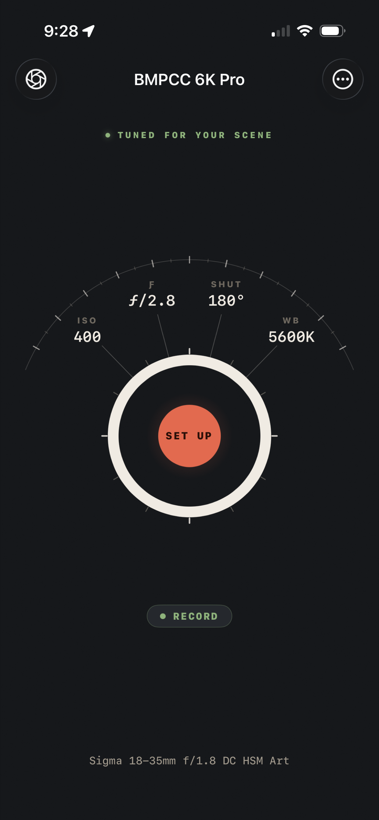
Three taps to a dialed-in shot.
PocketPrimer reads the light with your iPhone's camera, picks the right settings for your scene, and pushes them to your camera. You just look at your subject.
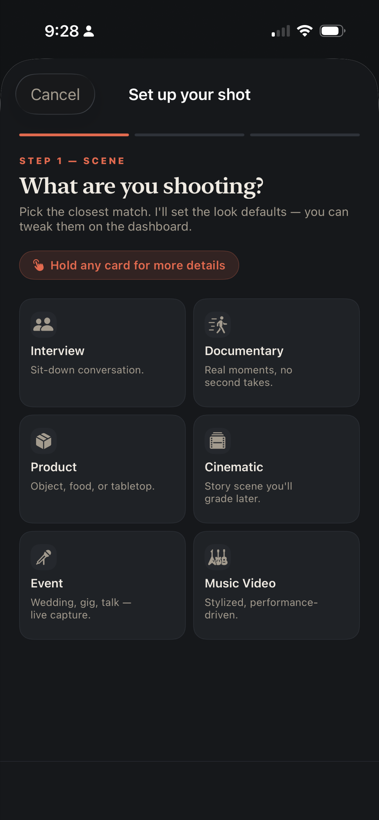
Tell it what you're shooting
Interview, documentary, product, music video. Pick the closest match in plain English.
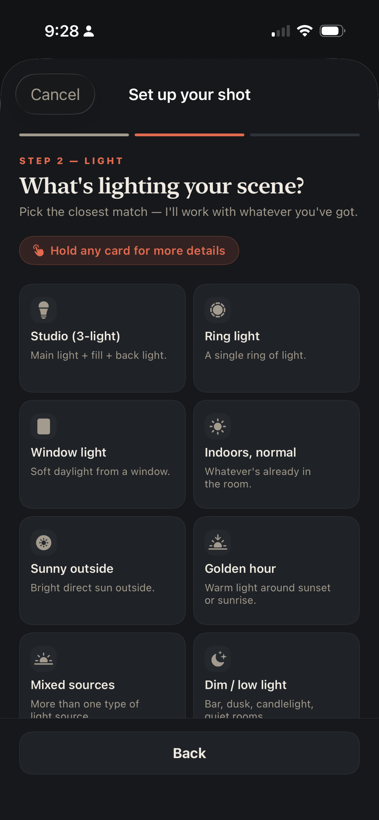
And what your light is doing
Studio, window light, golden hour, dim room. It works with whatever you've got.
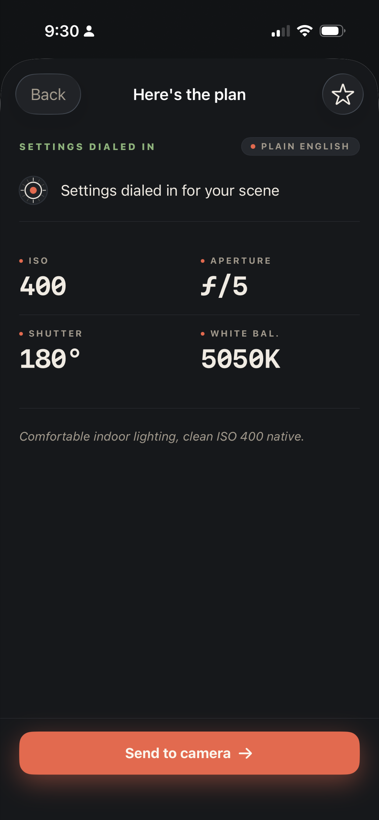
Get the plan, send it over
Exposure, shutter, and white balance dialed in and sent to your camera in one tap. Manual lens? It walks you through the aperture ring.
Plain English. Real numbers.
It talks like a friend who's good at this. "Set f/2.8," not "you might consider f/2.8."
Reads the light, live
Aim your iPhone and the LIGHT and COLOR readout updates about five times a second. Tap your subject for the full reading: exposure, color temperature, dynamic range, and depth. It warns you when bright spots are losing detail.
Meters your subject, not the wall
Take a reading where your subject stands, then another from the camera position. Exposure follows the light falling on your subject, and PocketPrimer tells you when the background is much brighter or darker than they are.
Picks your settings
Chooses the right look for your scene and intent, whether that's shallow depth, deep focus, a low-light interior, or a daylight exterior.
Pushes over Bluetooth
Sends ISO, shutter angle, white balance, and tint straight to your camera in one tap. On electronic lenses it sets the aperture too.
Knows your ND
Tells you when to add an ND filter, and dials in the camera's internal ND on the models that have one.
Works your way
Manual or electronic lenses both supported. For manual glass, it shows clear, guided steps with visual confirmation.
Plan without a camera
Meter by hand and work out the whole shoot on your own. A live balance readout tells you where you stand, like "1.3 stops under," and suggests an aperture to close the gap. What you dial in waits quietly, then goes across the moment a camera connects.
Remembers your cameras
Give each body a nickname so you always know which one you're talking to. It reconnects on its own, keeps trying quietly in the background, and tells you when a pairing has gone stale and needs redoing.
One line, then the numbers
The plan screen opens with a single plain-English verdict, then the settings underneath. Anything the app moved is tinted so you can spot it, and "Why these numbers?" opens the reasoning when you want it.
Catches mistakes
Warns you when something's off: a lens you don't have, a frame rate that doesn't match the shot, a gear mismatch.
Meter without touching the screen
Trigger a meter reading with the iPhone Camera Control button or a volume button. Useful when the phone is on a rig or when you need both hands free.
Nothing left unexplained
Every filming term the app uses, spelled out in plain English, offline, any time. Tap the help overlay for animated gesture demos of any control, and it follows your iOS reduced-motion setting automatically.
No more banding from artificial lights.
Fluorescent and LED lights pulse at your region's electrical frequency. That pulse is invisible to your eye, but it shows up as banding or flicker in video if your shutter angle lands in the wrong place.
Detects the problem for you
PocketPrimer measures flicker on every reading and warns you when the light you're standing in is the kind that bands on camera. You don't have to remember to check.
Offers a flicker-free shutter angle
It works out the shutter angles that are safe at your frame rate and electrical frequency, then offers the best one with the real cost spelled out, say ISO 400 to 800. One tap applies it, and Undo puts it back. If you'd rather it just happen, switch on automatic mode in settings.
Set your region once
Tell PocketPrimer whether your mains power runs at 50 Hz or 60 Hz, and it uses that for every calculation from then on. Change it in settings any time you travel.
Made for the one-person crew.
Indie filmmakers, solo doc shooters, and narrative crews who'd rather spend their time looking at their subject than pinching through menus. PocketPrimer is the assistant DIT in your pocket. Helpful, never in the way.
Your scene stays yours.
PocketPrimer collects nothing. No accounts, no analytics, no tracking, no ads. Your iPhone never sends data to a server. There is no server. The camera read happens on your device, and the photo is discarded after we read brightness from it.
Read the full privacy policy →Joining the beta.
Public testing is open on TestFlight. Here's what you'll need, and how to get going.
An iPhone, iOS 17 or later
PocketPrimer is an iPhone app. It runs on iOS 17 and up.
The free TestFlight app
Apple's app for trying betas. You install it first, then open the PocketPrimer link inside it.
A Blackmagic camera, recommended
Your iPhone does the metering, so you can plan a whole shoot with no camera connected. When you have one, switch on its Bluetooth and pair, and PocketPrimer sends the settings across.
1. Get TestFlight
Install it free from the App Store on your iPhone.
2. Open the beta link
Tap "Join the beta" on your iPhone. TestFlight opens and adds PocketPrimer.
3. Install and start metering
Open PocketPrimer and take your first reading. Pair a camera over Bluetooth whenever you want the settings sent across.
It's an early beta, so expect a few rough edges. Found a bug or have a thought? Send feedback right inside TestFlight, or email Lucas@ixcreations.com.
Ready to roll?
Grab the beta and shoot with it on a real job. That's where the useful feedback comes from.
Join the beta on TestFlightFree public beta · iPhone · iOS 17+